BRIEF
Proving the Ring as the Ultimate Peripheral Input for Smart Glasses
- 4 weeks -
ROLE
Interaction / Visual Designer
Frontend Engineer (C#)
COLLABORATOR
Motion Designer
TOOLS
Figma, Unity (C#), Custom Motion Tools
KEY CONTRIBUTION
Designed the "Message Notification" workflow, optimizing the UI for the constraints of single-finger ring navigation;
Built the high-fidelity frontend visual and motion prototype in Unity, utilizing a custom tool to deliver the "Ideal" version in just 48 hours.
Multimodal Flow: Watch how the system auto-advances steps when the user successfully performs the physical gesture on the device
The Challenge
Convincing stakeholders that "Discreet" is the future of interaction. Smart glasses interaction often suffers from the "Gorilla Arm" problem or socially awkward hand gestures. We needed to convince executive leadership that a Ring is not just an alternative, but the superior input method because it leverages peripheral and discreet motor control.
Why Ring: The Use Cases
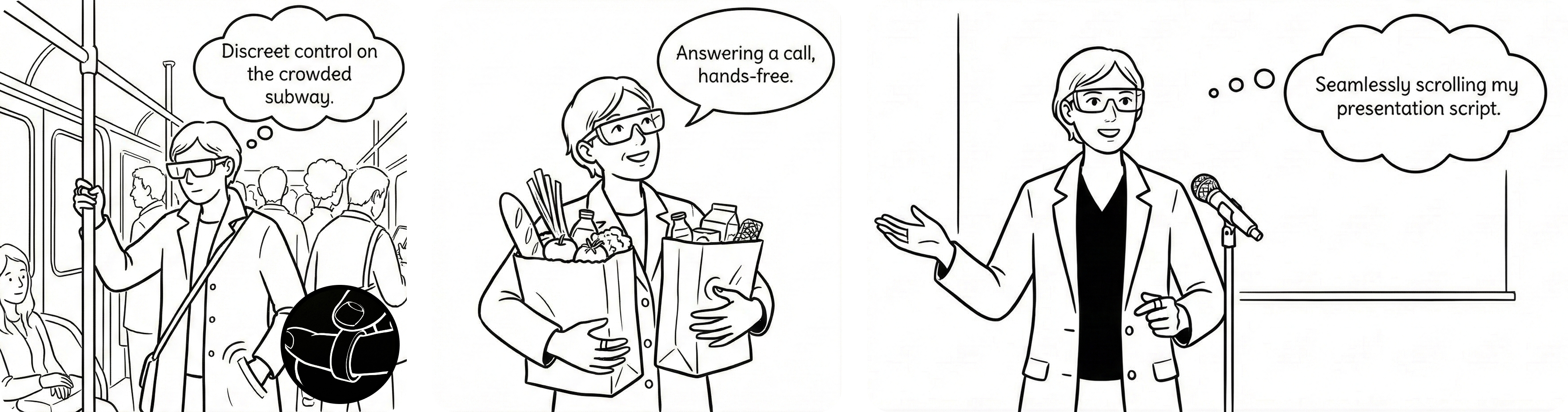
Three core scenarios where voice or on-device input would fail, but a ring succeeds.
Create a high-fidelity, functional prototype within a strict 2-week deadline to demonstrate that ring input is intuitive, distinct, and capable of handling complex UI navigation.
Ring Interaction Model
Mapping micro-gestures to macro-controls. I designed a gesture system based on familiar mental models (D-Pad navigation) but adapted for a single finger. The goal was to allow navigation without looking at the controller.
1. Navigation: Swipe Left / Right / Up / Down (mapped to button hovering).
2. Confirm: Single Tap (Confirm/Enter).
3. Exit: Double Tap (Back/Exit).
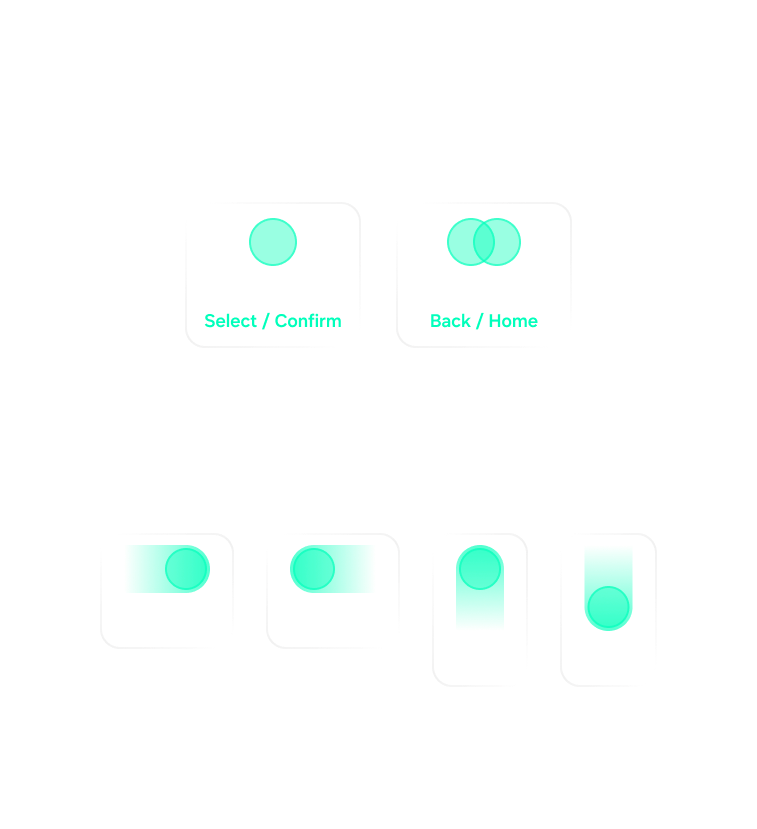
Ring Gesture Library and corresponding glasses control mapping
Interaction & Visual Flow: Message Notifications
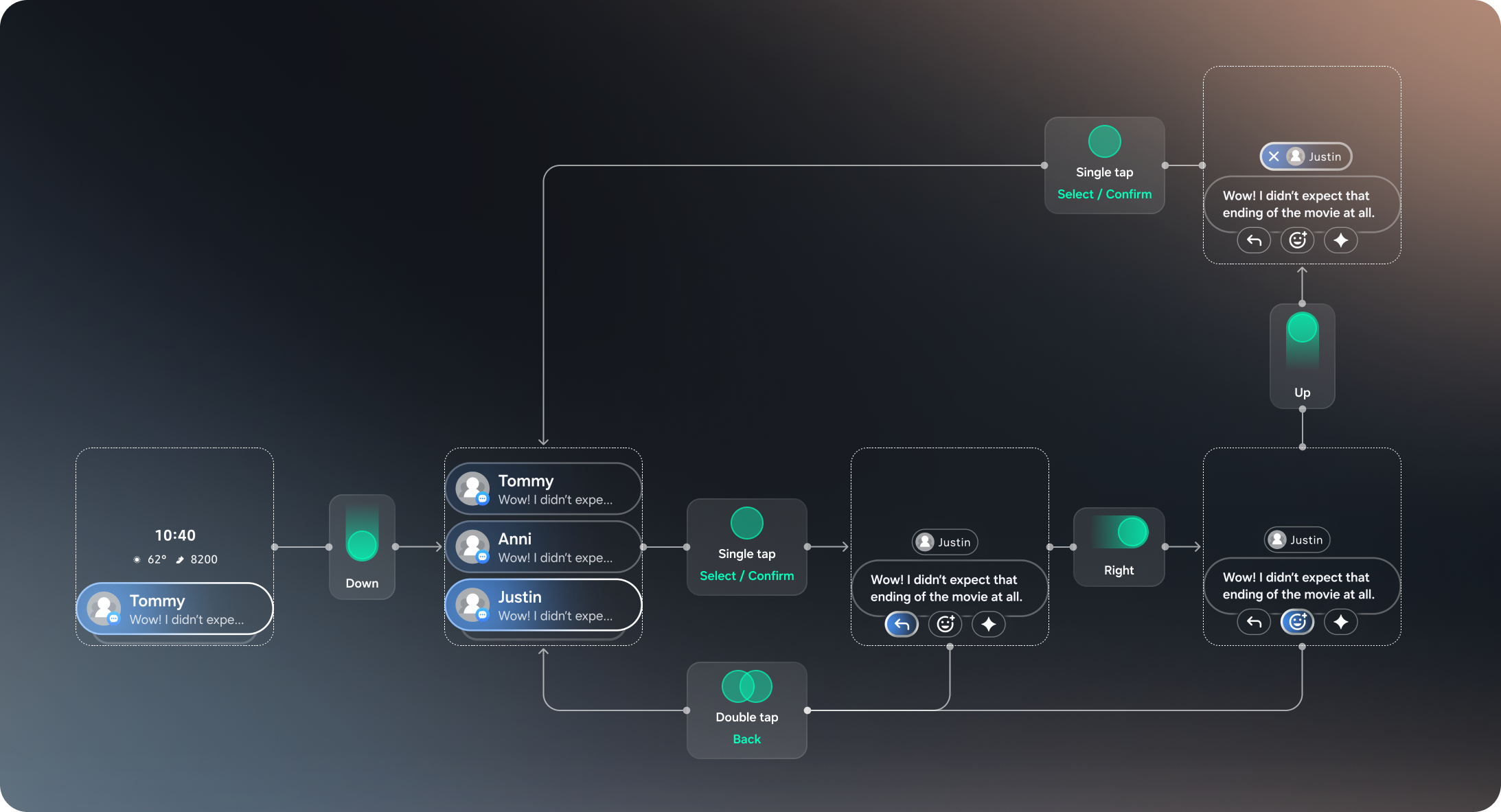
To test the limits of the input, we chose a messaging workflow. This required the user to scroll, select, read, and act—perfectly showcasing the full range of gestures.
1. Notification List: Use swipe to scroll through recent messages.
2. Detail View: Tap to expand a specific thread.
3. Action Menu: Inside the message view, 4 buttons are presented. The user swipes to navigate focus between them and taps to execute.
Highlight: The "Impossible" Motion
Bridging the gap between Design and Engineering -- This phase was the highlight of the project. Our motion designer created three tiers of interaction fidelity:
Simple: Basic transitions (easiest to code).
Standard: Standard easing.
Ideal: Complex physics-based motion and responsive hover states.
The Block: Given the 2-week deadline before the COO presentation, the engineering lead flagged the "Ideal" version as too risky and time-consuming to implement in Unity.
(Motion design credit: Maciek)
The motion designer proposed three tiers of interaction fidelity, from basic easing to complex physics.
The Solution: The Custom Motion Framework
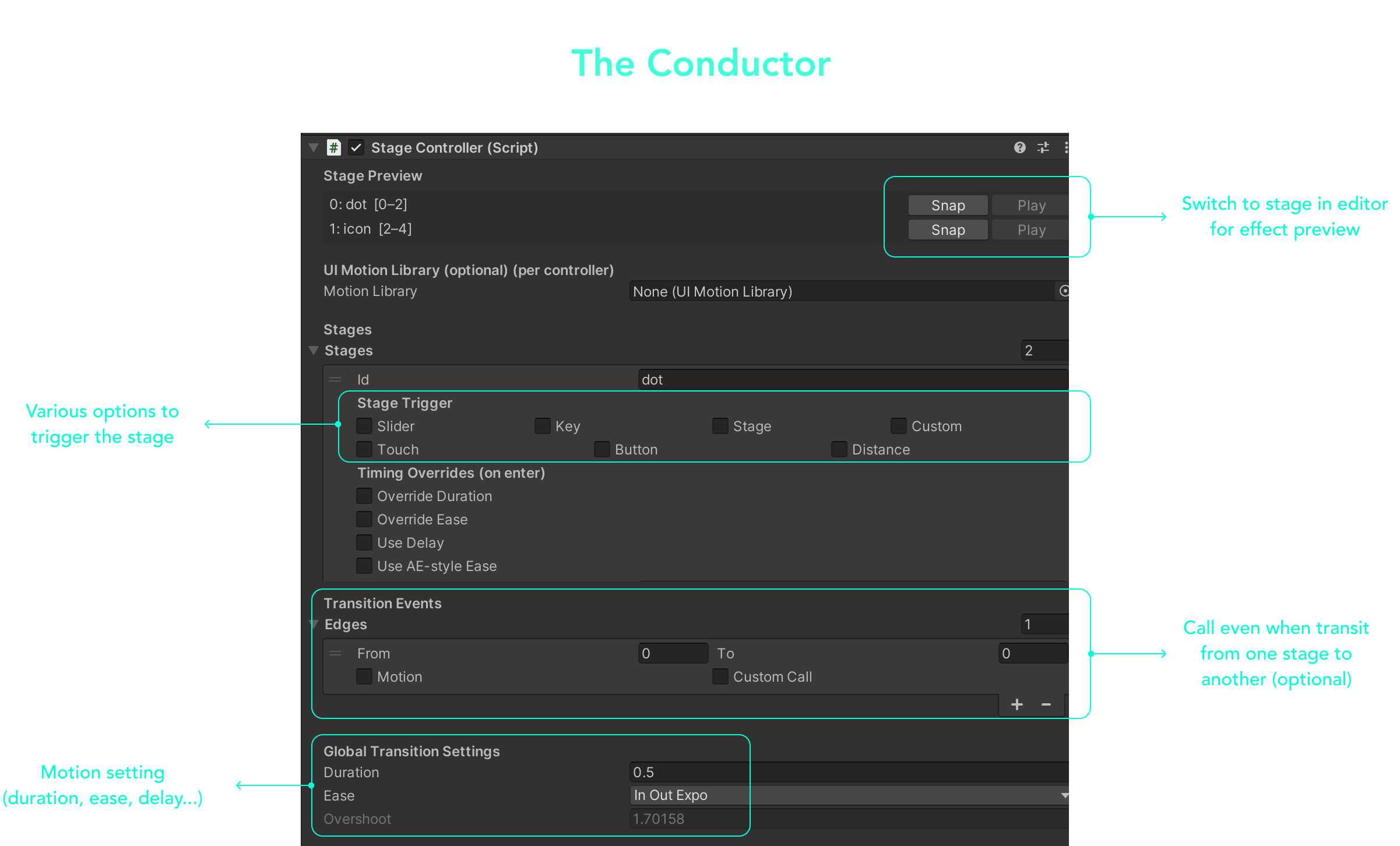
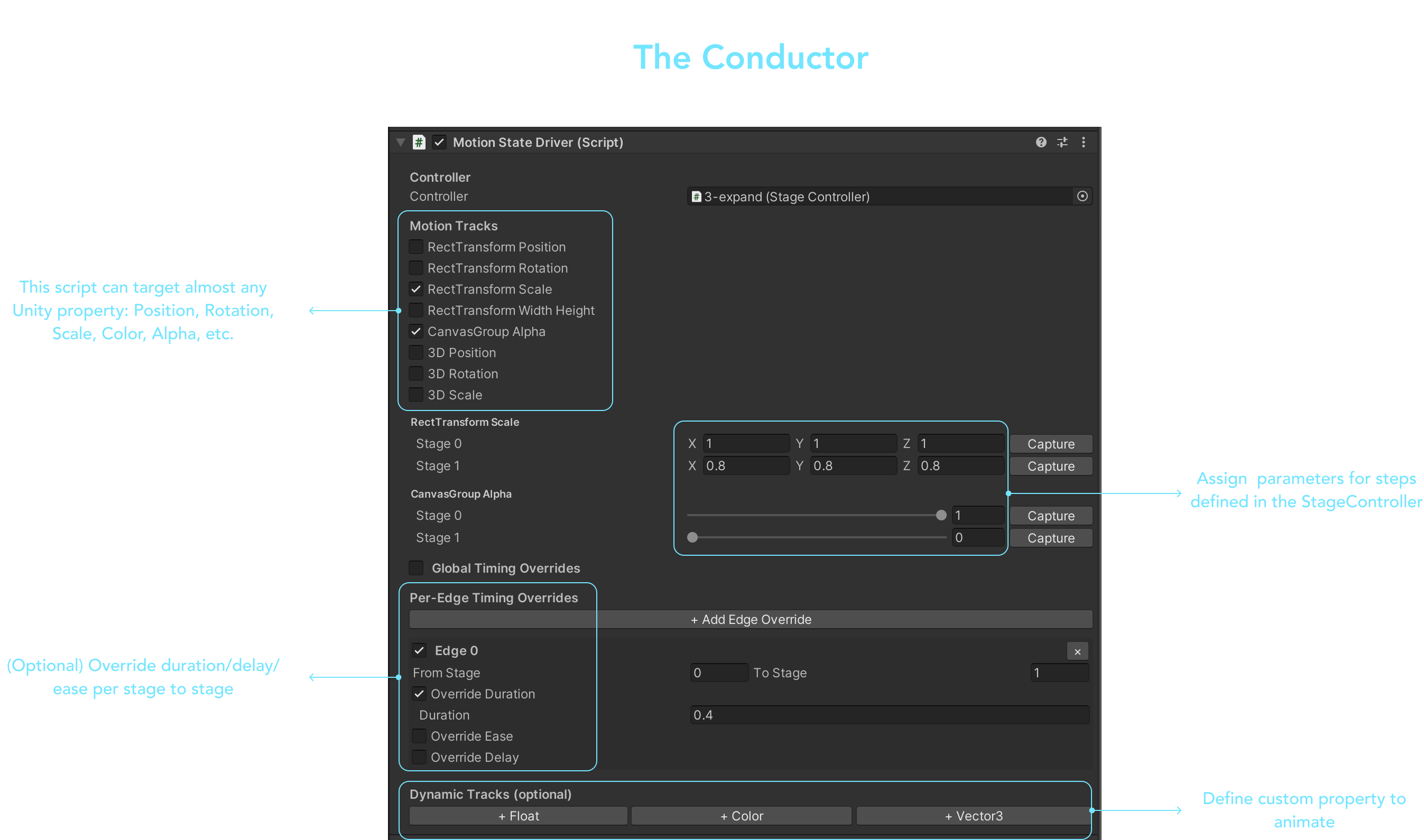
To bypass the engineering bottleneck, I utilized a modular animation system I built in C# that decouples logic from motion. This allowed me to "configure" complex animations in the Unity Inspector rather than hard-coding transitions, reducing iteration time from hours to minutes.
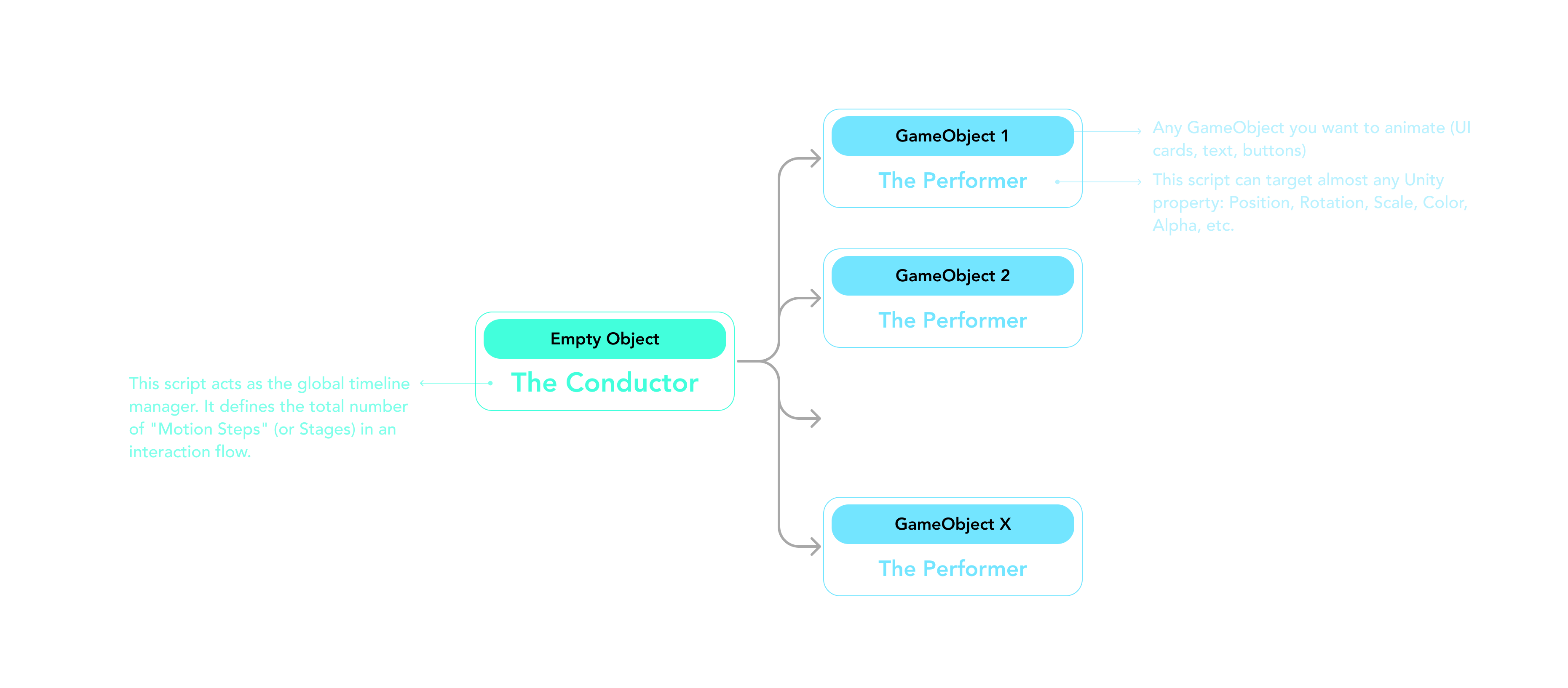
The Result: Uncompromised Fidelity

- Unity Implementation -
My custom Unity tool allowed us to bypass development bottlenecks and implement the "Ideal" continuous motion in time.
I delivered the "Ideal" fidelity version in just 2 days, leaving ample time for QA before the presentation.
Final Prototype
The final deliverable was a fully functional Unity build running on the glasses hardware. The seamless motion and intuitive controls successfully demonstrated that peripheral ring input feels magical because it feels invisible.