BRIEF
Design and Prototype Watch trackpad as Input for Smart Glasses
- 4 weeks -
ROLE
Interaction / Visual Designer
Prototyper (JavaScript, C#)
COLLABORATOR
UX Engineer
TOOLS
P5.js, Unity (C#)
KEY CONTRIBUTION
Design the watch trackpad interface visual and interactions with p5.js;
Built the watch trackpad interface visual in Unity.
Context
Convincing stakeholders that "Discreet" is the future of interaction. Smart glasses interaction often suffers from the "Gorilla Arm" problem or socially awkward hand gestures. We needed to convince executive leadership that a Ring is not just an alternative, but the superior input method because it leverages peripheral and discreet motor control.
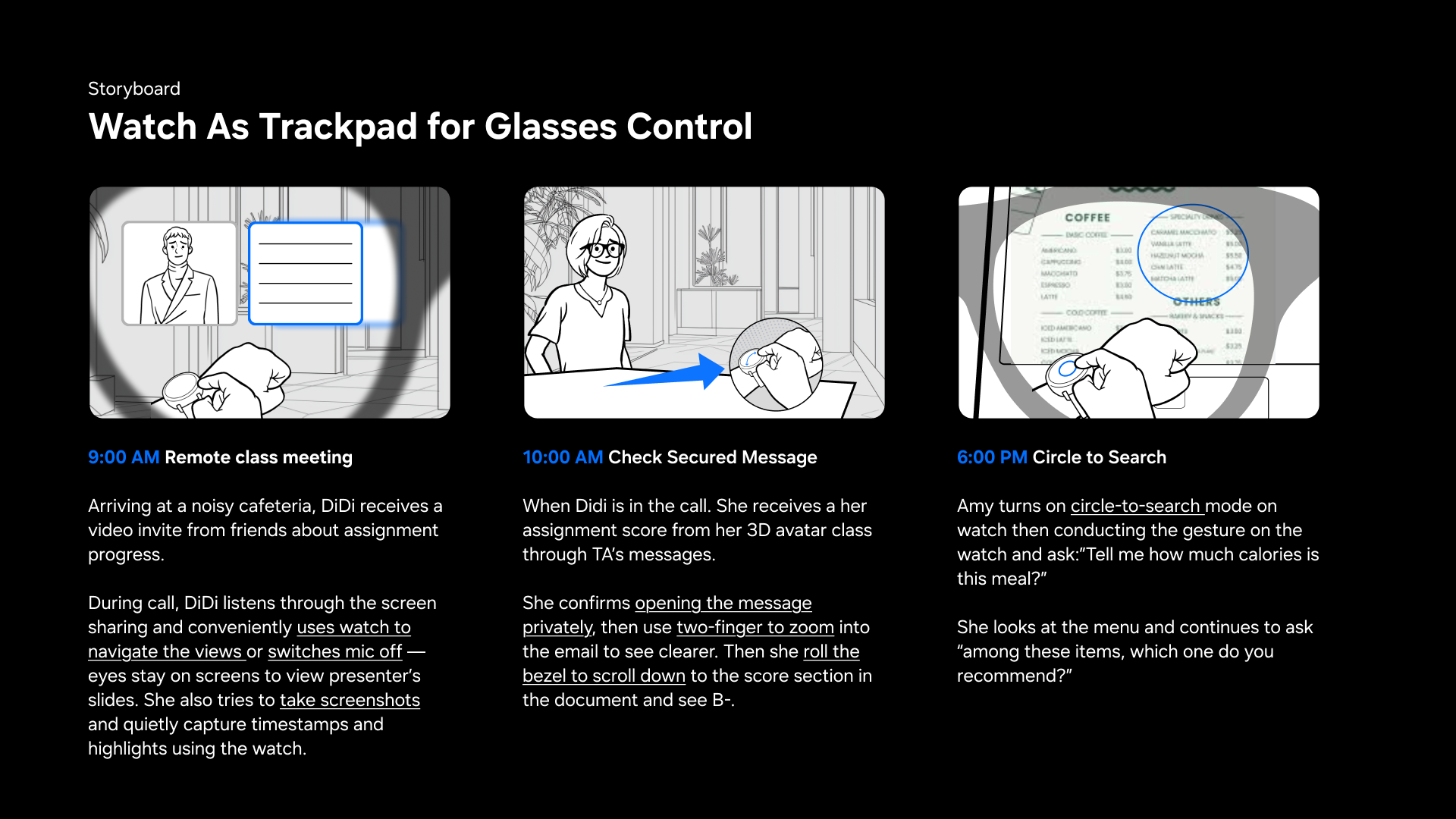
Create a high-fidelity, functional prototype to demonstrate that watch as trackpad for glasses input is intuitive, distinct, and capable of handling complex UI navigation.
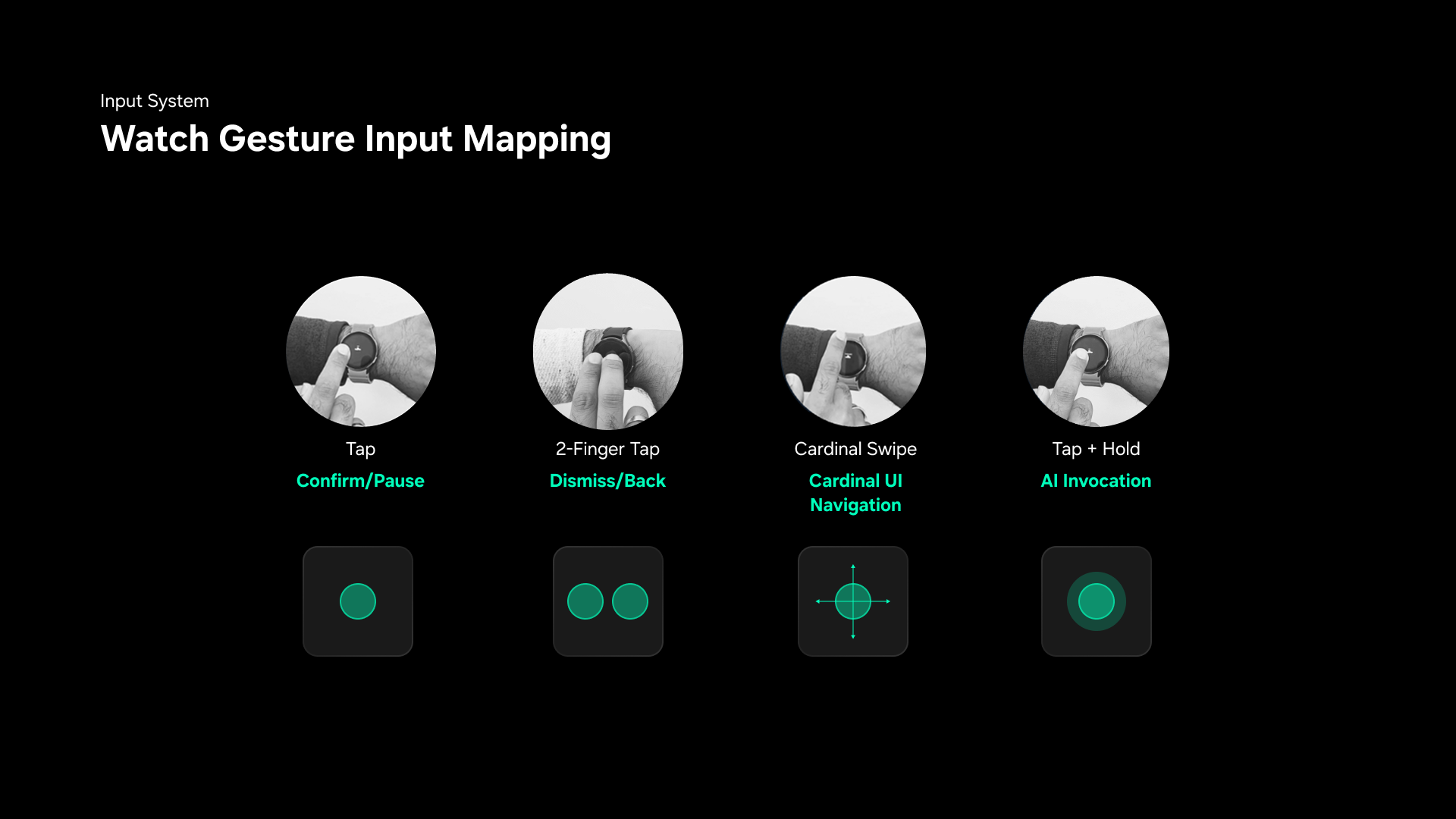
Interaction & Visual Flow
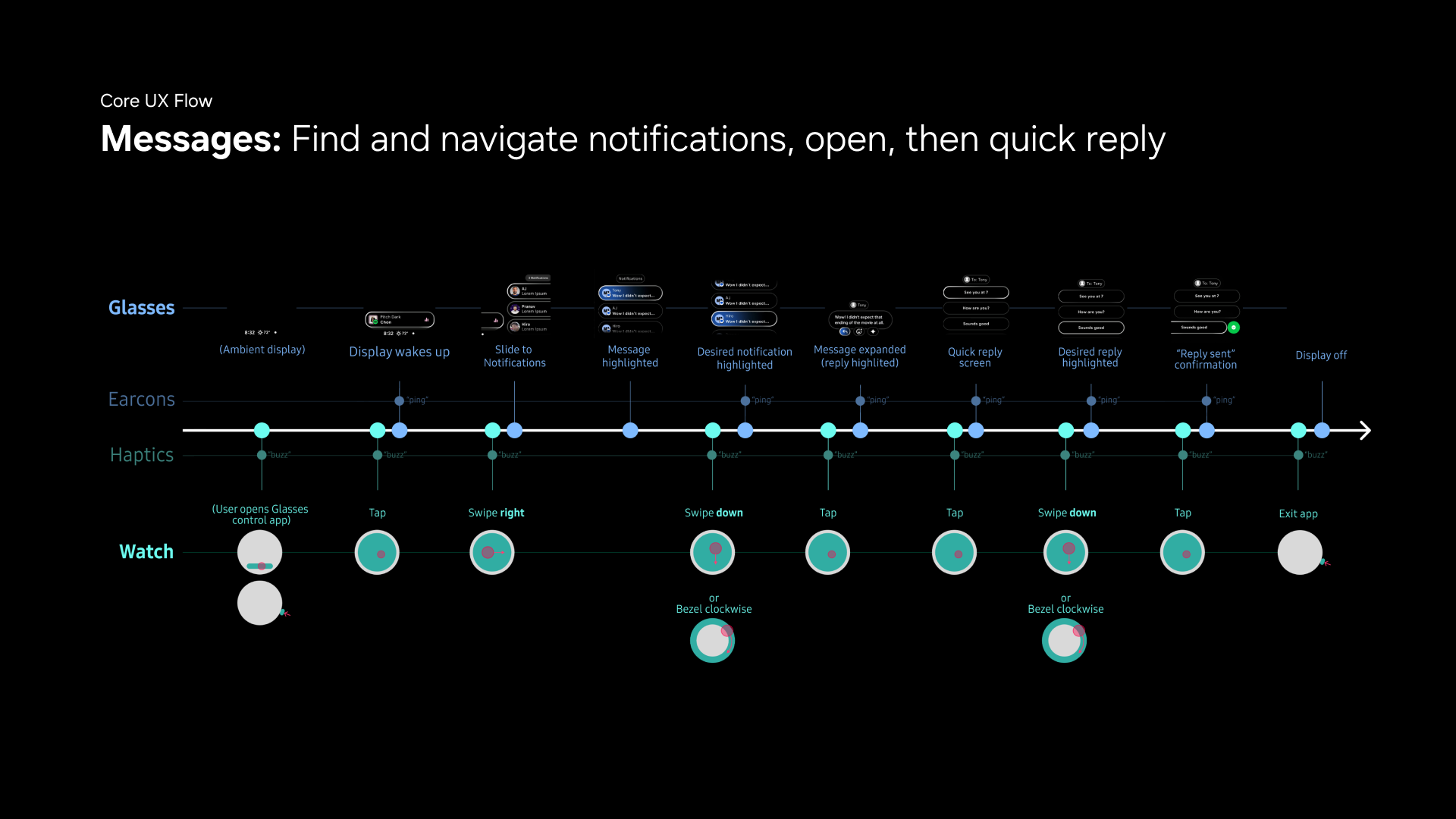
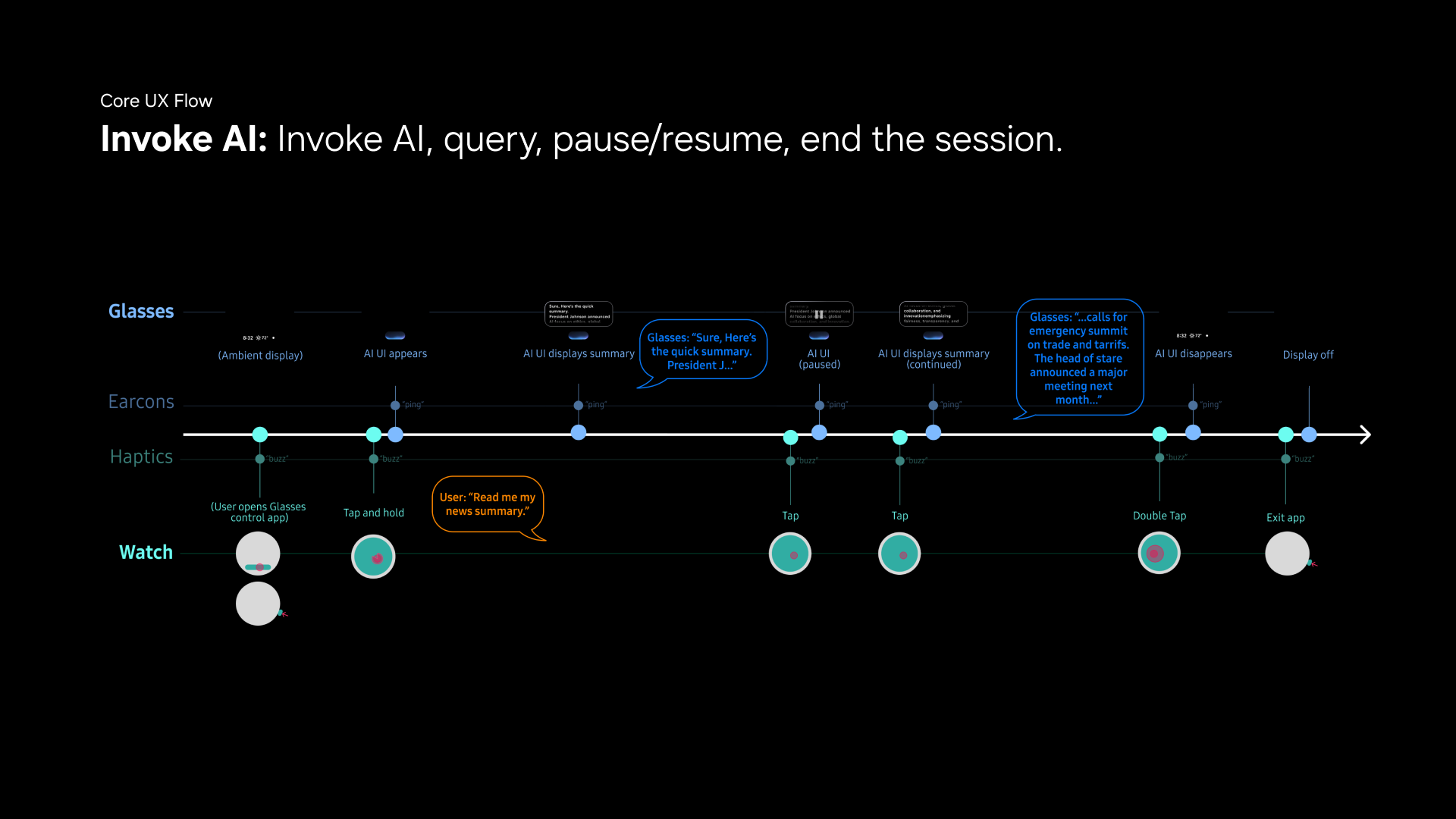
To test the limits of the watch trackpad input, we chose 3 core glasses UX flow to develop. These flows requires full set of gestures mentioned above.
1. Messages: Find and navigate notifications, open, then quick reply
2. Invoke AI: Invoke AI, query, pause/resume, end the session.
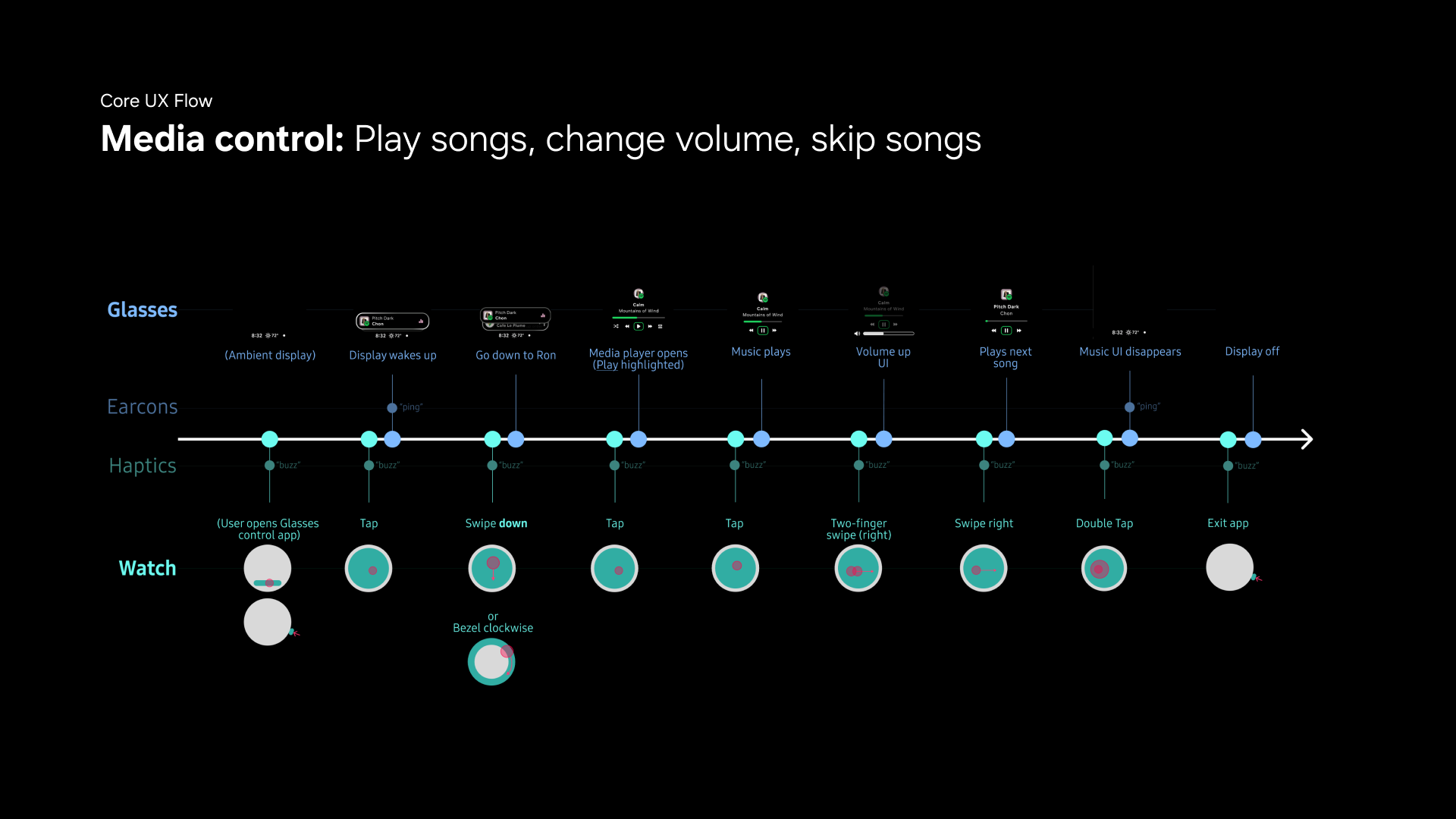
3. Media control: Play songs, change volume, skip songs
Visual Design: The Trackpad Interface
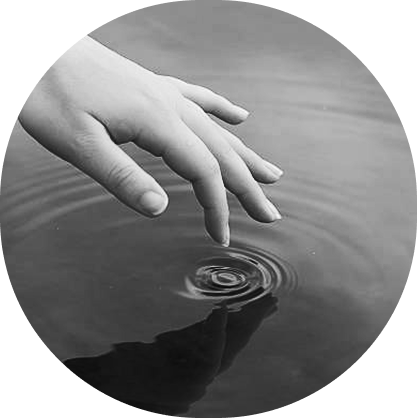
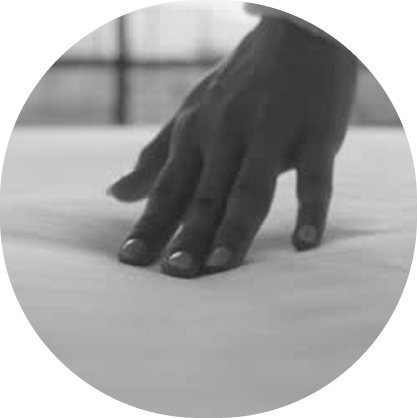
Rather than to design how a touch itself looks, I argued that to design the trackpad visual is to design the 'effect' that a touch create. To design elegant and delightful visual and motion, it is important to ensure that it looks and feels 'familiar'. I was inspired by two finger-object interactions from the physical world - dipping water and touching cloth. The physics and visual effects inspire the following trackpad interface design.
Trackpad Visual 1: The Water
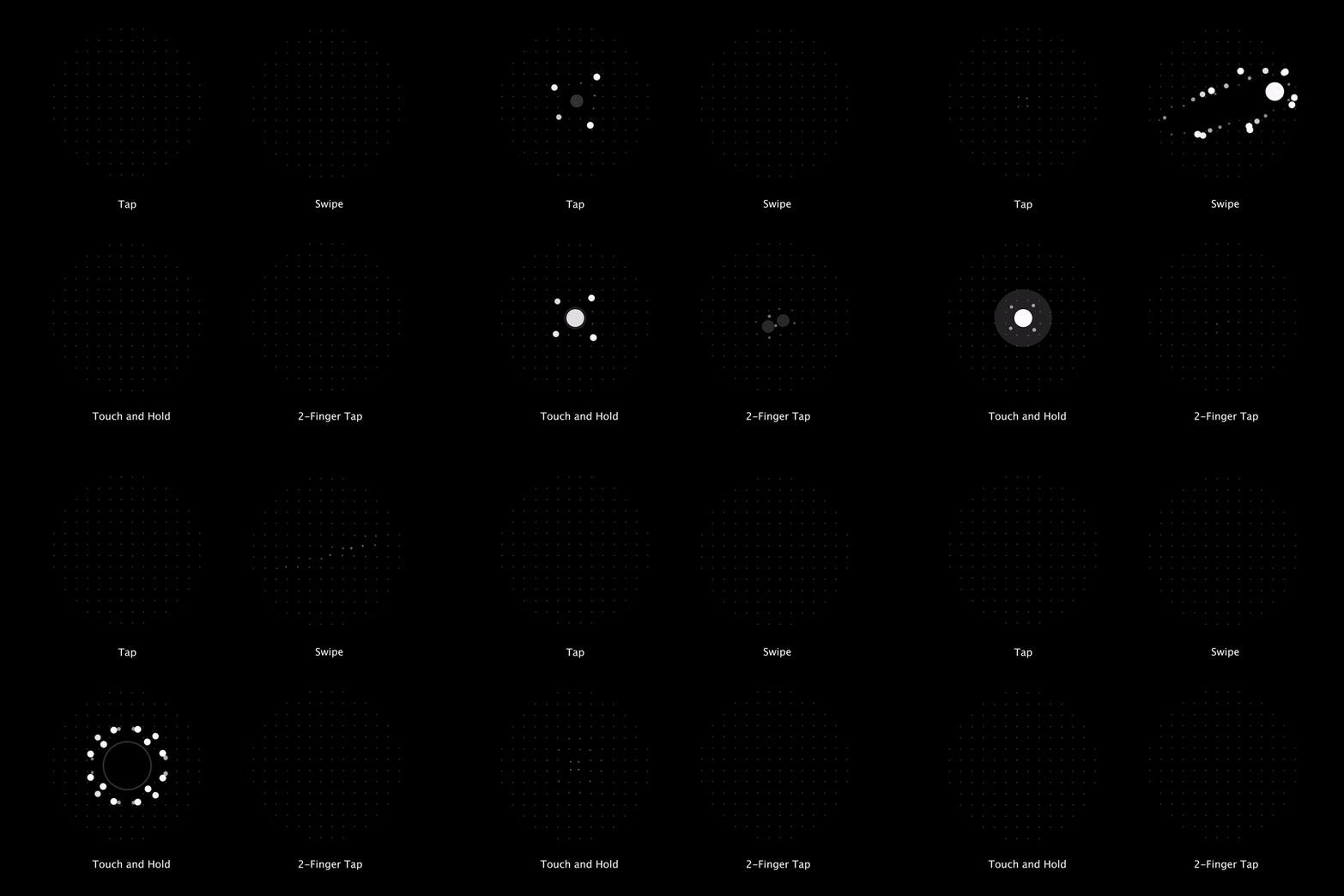
Imagine dipping your finger into the water. The touch creates ripple, which travels away from the center point. The further the ripple travels, the weaker it gets, until it finally disappaer overtime. In the first proposal, the visual design simiulates the physics of such phenomenon: on a grid of particles, the finger touch would push away the particles around the touch point. The touch leaves a force on the surface, which creates ripple of particles that travels away from the center. The longer the touch holds, the stronger the force it creates, which creates larger ripple effect visually.
Trackpad Visual 2: The Cloth
The second proposal simulates touching a straightened cloth surface. The touch creates pressure on the surface and makes it sink. When finger is released, the sunk part would bounce back, springing back and forth for a few times. In this proposal, the visual design simiulates the physics of such phenomenon: on a grid of particles, the finger touch would attract the particles around the touch point and make them move towards the center point. When finger releases, the displaced particles would spring back to its original position. The longer the touch holds, the more particles it attracts, which creates larger spring effect when finger releases.
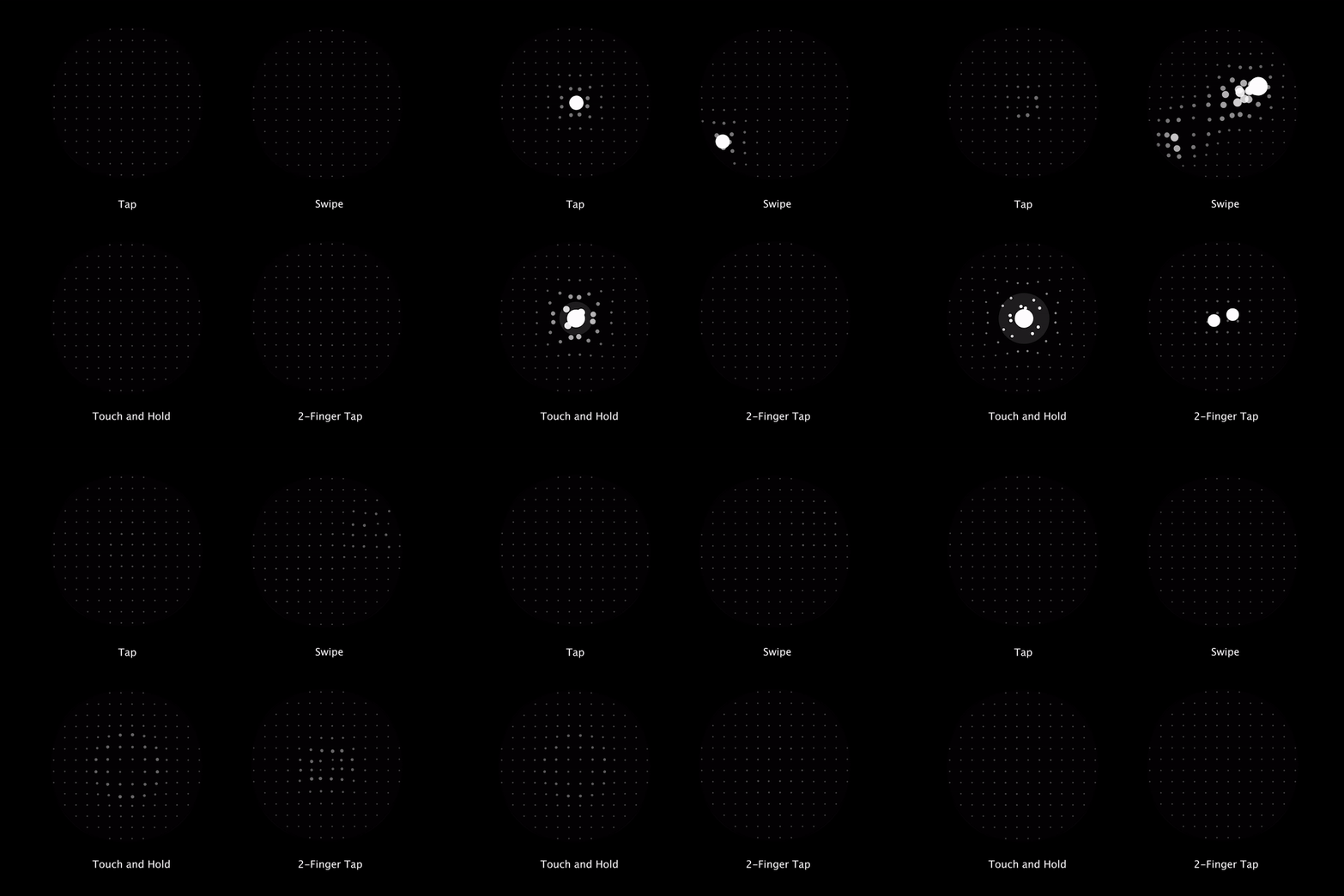
Watch Trackpad Prototype
After refining the logics in p5.js, I then transform the logics and realize the same visual effect in Unity. I closely worked with engineer to integrate it with their input framework, ensuring that each pre-defined watch input event is triggering the corresponding visual effect.
Watch Interface PoC - Cloth Effect
Watch Interface PoC - Water Effect